
iPad Repair in Dubai
Screens, batteries and charging ports for every kind of iPad. Choose your model to see its price where we publish one, or start with a free diagnosis at our workshop. Free collection, or drop it off in Deira.
Rather call? Call +971 50 164 0519
How we price it
We diagnose the fault free at our workshop, then tell you the repair it needs and its price.
- Free collection and return
- Free diagnosis for unpriced faults
- Price and warranty before you book
iPad models we repair
Can't see yours, or not sure which you have? Book anyway and we'll identify it at diagnosis.
Give us your model when you book and we'll confirm what we can repair.
What we fix on a iPad
Each of these is diagnosed free at our workshop, and then we confirm the repair and its price.
Screen and glass replacement
Cracked glass, a web of cracks spreading from a corner, a strip that ignores touch, or glass lifting at one edge after a fall.
Battery replacement
An iPad that won't get through a school day, switches off before 0%, or takes most of the day to charge from the wall.
Charging port
A Lightning or USB-C port that charges only with the cable held at an angle, or has stopped charging. Often it is packed lint rather than a broken port.
Home button and Touch ID
A home button you have to press hard, or Touch ID that won't add fingerprints. On home-button models this is bound up with the screen repair.
Camera and speakers
A cracked rear lens cover, a camera that won't focus, or a speaker that has gone quiet or distorted on one side.
Housing and bent frames
A frame bent by a fall or by pressure in a bag. Worth checking, because a new screen won't sit flat or seal properly on a bent chassis.
Software and recovery loops
Frozen on the Apple logo, rebooting on a loop, or an update that won't finish and leaves the iPad in recovery mode.
Liquid damage diagnosis
Keep it off the charger and don't dry it with heat. We open it, check the board for corrosion and tell you plainly what can be recovered.
Why an iPad screen is a bigger job than a phone's
An iPad screen repair costs more and takes longer than the phone repair it resembles, and there is a reason. On most iPads the glass is glued to the frame around a long perimeter, so it has to be softened with controlled heat and eased off slowly. The battery and, on many models, ribbon cables sit right under the glass, and both are easily damaged if the panel is prised rather than lifted.
On the iPad Pro and later Air models, the glass and display are laminated into one part, so a cracked front means a new display unit, not just new glass. Older models with a separate touch layer can genuinely have the cheaper glass-only repair. Which group your iPad falls into is the biggest factor in the price, and we tell you at diagnosis.
How to find your exact iPad model
iPad names repeat from one generation to the next: plenty of models are simply called iPad, and several share an Air or Pro name at the same screen size. The dependable identifier is the model number starting with A, printed small on the back, or found under Settings › General › About › Model Number (tap it once to switch from the part number to the A-number).
Give us that number and your quote is for your iPad. Guess the generation and the wrong part may be ordered, which is the usual reason a repair elsewhere ends up taking a week longer than promised.
Is an older iPad worth repairing?
You get a straight answer at diagnosis. If your iPad no longer receives iPadOS updates and needs both a screen and a battery, the total can come close to the price of a new entry-level iPad, and we will tell you so. If it is a Pro or a recent Air, a screen repair usually costs a fraction of replacing it, and the iPad has years of updates ahead.
Either way, the diagnosis is free, and we confirm the repair it needs and its price.
Warranty and repair time
Each repair has its own warranty, shown before you confirm the booking, or given with the quote when a repair is priced after diagnosis.
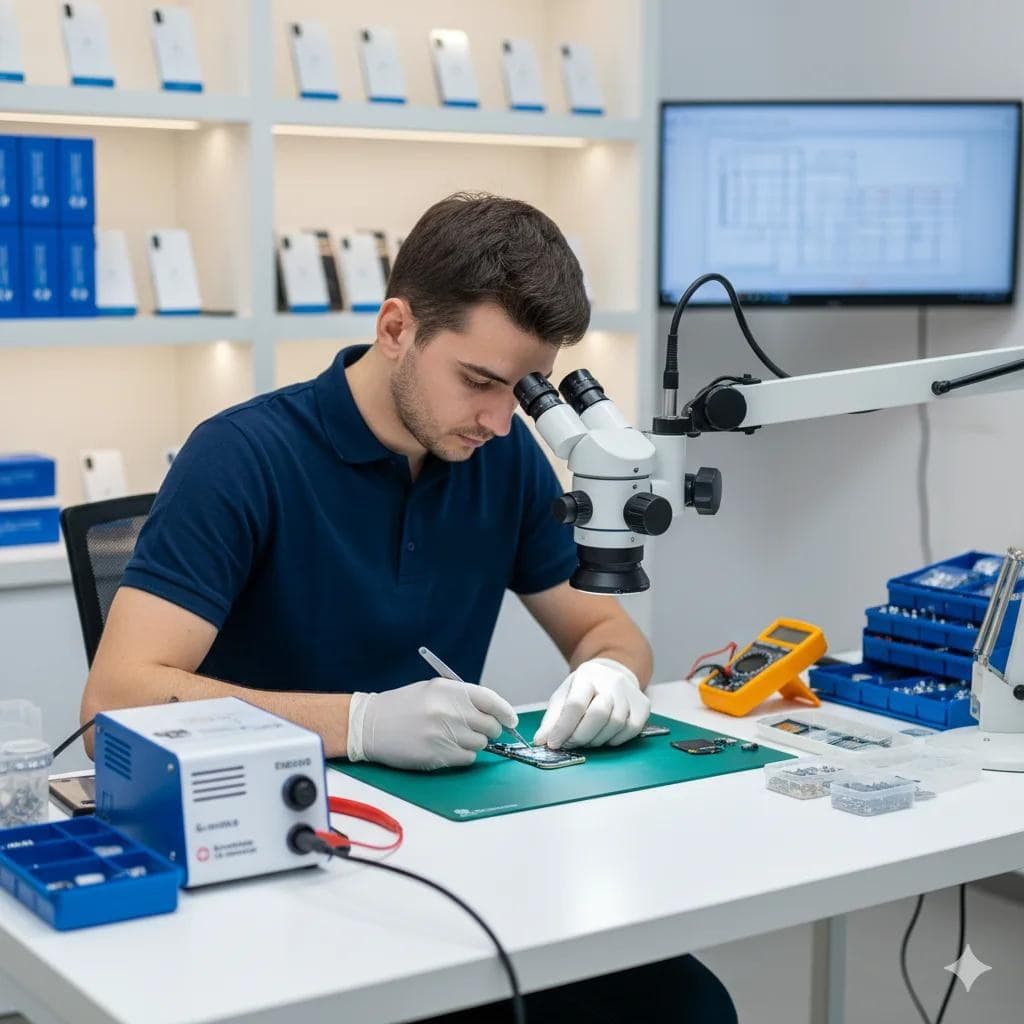
Every repair is carried out at our own workshop at Deira, Dubai, UAE, by Repairing.ae.
What the warranty covers, and how to make a claim: warranty policy.
Your iPad repair, step by step
Each step is logged, and you can follow every one on the tracking page.
- 1
Book online
Choose your model and the fault. A repair with a published price shows it, along with its repair time and warranty, before you send the booking.
- 2
Free collection
We pick the device up at no charge, or you bring it to our workshop (Deira, Dubai, UAE). Either way, the repair happens there.
- 3
Diagnosis
A technician confirms the actual fault, free of charge.
- 4
Repair and price confirmed
A priced repair is the one you chose at booking. If the fault needed diagnosing, we confirm the repair it needs and its price.
- 5
Repair
The work is carried out at our workshop.
- 6
Quality check
The repaired part, and everything around it, is tested before the device leaves.
- 7
Free return
Brought back to you at no charge, with the repair's warranty on record where it has one.
Where's my device?
Every stage is logged as it happens. Enter your booking number and the phone number you booked with, and you see the stage your device has reached.
Check repair status- Booking Received
- Pickup Scheduled
- Device Collected
- Diagnosis (if needed)
- Repairing
- Quality Check
- Out for Delivery
- Completed
Collection areas in Dubai
We collect from and return to all of these areas free. Your device is repaired at our Deira workshop in between.
- Al Barsha
- Arabian Ranches
- Bur Dubai
- Business Bay
- Deira
- DIFC
- Downtown Dubai
- Dubai Hills
- Dubai Marina
- Dubai Silicon Oasis
- Dubai Sports City
- International City
- JLT
- Jumeirah
- JVC
- Mirdif
- Motor City
- Palm Jumeirah
Free collection and return also from Abu Dhabi, Ajman, Fujairah, Ras Al Khaimah, Sharjah and Umm Al Quwain.
Repaired with us recently?
A few lines about how it went helps the next customer decide. Verified reviews appear on this page.
Write a Trustpilot reviewQuestions before you book
Price, collection, your data, parts and warranty, answered plainly.
Which iPad models do you repair?
We add iPad models to the catalog as they're released. Pick your exact model while booking to see which repairs we offer for it and what they cost.
Will my iPad's data be safe?
Screen, battery and charging port repairs need no reset and don't touch your data. If a particular repair puts your data at any risk, we tell you before we start.
Do I need to visit a shop?
No. We collect your iPad free from across Dubai and the UAE, repair it at our Deira workshop and bring it back free. You can also drop it off yourself. We don't repair on site.
What does an iPad screen repair cost?
It depends on your exact model. If we publish a price for that repair, you see it while booking, before you commit. If we don't, we diagnose the iPad free at our workshop and then confirm the repair and its price.
More on iPad collection, diagnosis and warranty is in the repair FAQ.
Ready to fix your iPad?
A free diagnosis at our workshop, the repair and its price confirmed, and free collection and return.